
Pokémon never likes to make it easy to complete the Pokédex in any game, and the same challenges are presented in Pokémon Legends: Z-A, with some requiring trading. We’re here to help, though, with a full list of trade codes.
Trade codes in Pokémon Legends: Z-A are extremely beneficial as they allow you to skip past the long process of using social media platforms to organise trades with strangers, instead putting you straight into the thick of it by pairing you with a player who is looking for exactly the same thing as you.
Gone are the days when you needed to be in close proximity with a link cable; instead, complete your Pokémon Legends: Z-A Pokédex through the wonders of the internet using these trade codes.
All Pokémon Legends: Z-A Trade Codes
There are 10 Pokémon in total that require trading to evolve in Pokémon Legends: Z-A, though some can be found in their evolved forms in the wild.
The likes of Alakazam, Gengar, Machamp, and Gourgeist are encounterable in the wild in Pokémon Legends: Z-A, though they can be rare, while Steelix can be caught via main story progression. If you want a readily available supply of the Pokémon, however, trading is the quickest means.
Below, you can find all the trade codes for Pokémon Legends: Z-A, courtesy of AustinJohnPlays. Be sure to check the receiving Pokémon before agreeing to a trade so you don’t get trolled!
| Trade Code | Sent Pokémon | Received Pokémon | Evolution Triggered |
|---|---|---|---|
| 0063 0063 | Kadabra | Kadabra | Alakazam |
| 0066 0066 | Haunter | Haunter | Alakazam |
| 0126 0126 | Machoke | Machoke | Machamp |
| 0182 0182 | Phantump | Phantump | Trevenant |
| 0204 0204 | Pumpkaboo | Pumpkaboo | Gourgeist |
| 0096 0096 | Spritzee – Holding Sachet | Spritzee – Holding Sachet | Aromatisse |
| 0098 0098 | Swirlix – Holding Whipped Dream | Swirlix – Holding Whipped Dream | Slurpuff |
| 0137 0137 | Slowpoke – Holding King’s Rock | Slowpoke – Holding King’s Rock | Slowking |
| 0176 0176 | Scyther – Holding Metal Coat | Scyther – Holding Metal Coat | Scizor |
| 0197 0197 | Onix – Holding Metal Coat | Onix – Holding Metal Coat | Steelix |
How to Trade Pokémon in Pokémon Legends: Z-A
Trading in Pokémon Legends: Z-A is not immediately available when you first start the game, as introductory points of the story must be completed before online access opens up.
Once you have unlocked online features in Pokémon Legends: Z-A, including the Mystery Gift and Trading, follow these steps to initiate a trade.
- Hit X on your Nintendo Switch controller to open the main menu.
- Scroll down to the ‘Link Play’ option.
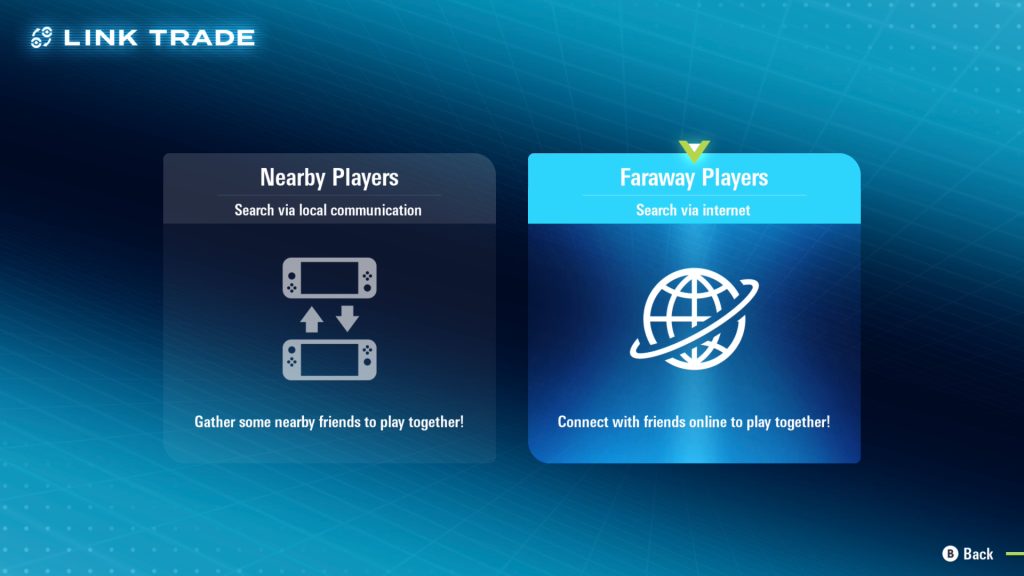
- Select ‘Link Trade’.
- Choose the ‘Faraway Players’ option.
- Wait for your console to connect to the internet.
- Enter the designated code from the table above.
- Wait for a partner to be found.
- Select the Pokémon you wish you trade.
- Check that the Pokémon being offered is what you want and has any required items being held.
- Accept the trade.
Evolutions for Pokémon will trigger once they are received, adding to your Pokédex. If it’s your first time completing a Link Trade, you’ll also earn a stack of reward points towards Mable’s Research Tasks.
What Pokémon has been your MVP in Pokémon Legends: Z-A so far? Let us know your team in the Insider Gaming Discord.
For more Pokémon Legends: Z-A, check out all the Special Evolution requirements in the game, and find out where to find every Pokémon in the Wild Zones.

Comments
[gs-fb-comments]